
Precautions For Using Laser Cleaning Machines In Different Environments
Different working environments, such as mold workshops, outdoor construction sites, damp factories, and dusty factory areas, directly affect the stability, cleaning effect, and service life of laser cleaning machines. This article, based on actual mold cleaning scenarios, divides typical usage environments and lists the operating procedures, protection points, risk warnings, and emergency handling for each environment to ensure the long-term stable operation of the equipment.
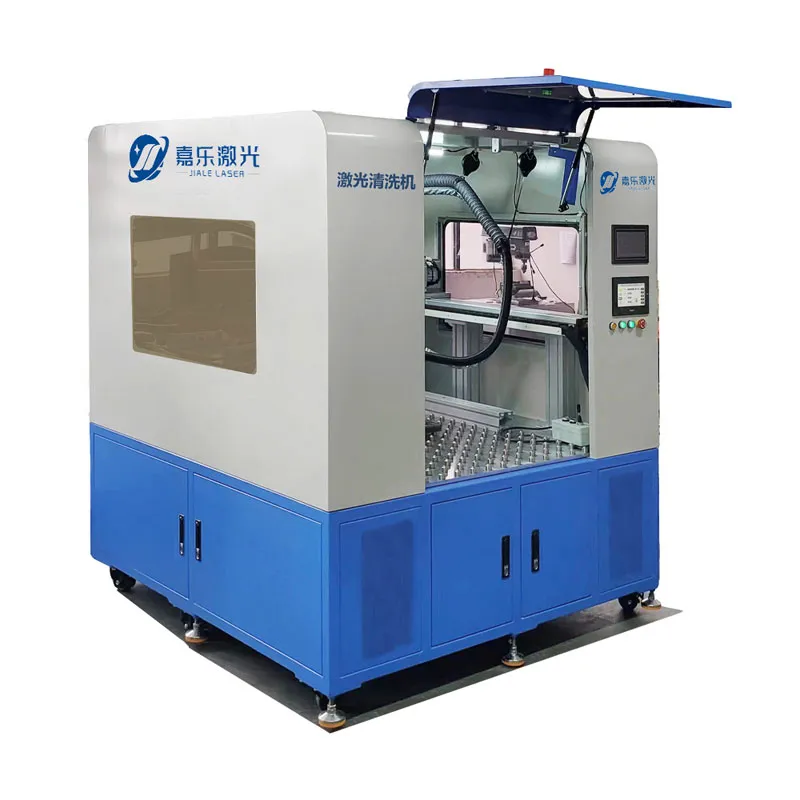
Table of Contents
General Basic Environmental Requirements
Basic Environmental Parameter Reference
Ambient Temperature: 5℃ ~ 35℃
Relative Humidity: 30% ~ 70% (non-condensing)
Altitude: ≤1000m; power compensation is required in advance for high-altitude areas.
Placement Requirements: Place the machine horizontally, away from strong vibration sources, open flames, and corrosive liquids.
Power Supply: Voltage fluctuation ≤±5%; dedicated power line is recommended for high-power models.
General Protection Requirements
Do not directly wash the machine body, cleaning head, or fiber optic connectors with water. Ensure full dust and oil protection for optical lenses and fiber optic interfaces. Always wear laser safety goggles during operation. Do not remove equipment protective covers or safety interlocks without authorization. Check the cooling system, air lines, and wiring before daily operation; stop the machine immediately if any abnormalities are found.
High-Dust Environment (Mainstream Mold Workshops, Sandblasting Rooms, Die-casting Workshops)
Environmental Characteristics
Airborne carbon deposits, metal dust, mold release agent powder, and sand dust easily adhere to lenses, heat sinks, circuit boards, and fiber optic gaps, making it the most common working condition in mold workshops.
Main Risks
Rapid lens contamination and ablation, clogging of heat dissipation filters, optical path misalignment, short circuits due to dust accumulation, and wear of fiber optic sheaths.
Specific Precautions
Key Protection for Optical Components
Keep the matching air blowing system and negative pressure dust removal device running throughout the process to promptly remove dust; shorten the replacement cycle of protective lenses, checking them every 3-7 days, and replacing them immediately if fogging or black spots appear.
Routine Cleaning of the Cooling System
Blow out water-cooled/air-cooled heat dissipation filters daily to prevent dust blockage and high-temperature alarms; install dustproof cotton at the chassis air inlet and replace and clean it weekly.
Equipment and Cable Protection
When not in use, cover the equipment with a dust cover; route fiber optic cables away from areas with high dust concentrations, and install wear-resistant sheaths to prevent damage from dust particles.
Internal Dust Removal and Maintenance
After a monthly power outage, use low-pressure, dry compressed air to blow away surface dust from the inside of the chassis, circuit boards, and laser surface. Do not blow high-pressure air directly onto optical components.
Working Habits
Avoid operating the equipment with the chassis door open for extended periods to reduce dust entry into the equipment.
High Humidity/Damp Environment
Environmental Characteristics
Air humidity > 70%, prone to dampness on the ground and condensation on walls; moisture easily seeps into the optical path, electrical circuits, and water-cooling pipes.
Main Risks
Lens fogging, condensation in the optical path, short circuits, corrosion of metal components, and water vapor entering the cooling water, affecting heat dissipation.
Specific Precautions
Humidity Control and Condensation Prevention
Install exhaust fans and dehumidifiers in the workshop to control humidity below 70%; in low-temperature, high-humidity weather, preheat the machine under no-load for 10-15 minutes before starting the light output to dissipate moisture inside the chamber.
Water System and Sealing Inspection
Check water-cooling pipes and joints daily for leaks and condensation; replace aging seals promptly to prevent water dripping onto the machine body and wiring.
Optical and Interface Protection
Fiber optic connectors, galvanometer windows, and lenses must be kept dry; immediately cover the lens cap and fiber optic protective cap after shutdown to prevent moisture from penetrating the coating layer.
Long-Term Shutdown Management
In humid environments, if the machine is shut down for more than 24 hours, run it unloaded for 30 minutes daily to dehumidify. Do not place the equipment directly in low-lying, waterlogged areas.
Do Not Mix Use
Keep the equipment away from washing stations and spray equipment. Do not allow water vapor to blow directly onto the cleaning head.
High-Temperature Environment
Environmental Characteristics
Ambient temperature > 35℃, heat accumulation, high heat dissipation pressure.
Main Risks
Laser power reduction protection, frequent high-temperature alarms, galvanometer temperature drift causing beam shift, accelerated aging of electronic components.
Specific Precautions
Enhanced Heat Dissipation
For water-cooled models, ensure the cooling water temperature is stable between 20~28℃, regularly change the water and clean the water tank to remove scale; place the chiller in a well-ventilated, cool place, away from heat sources. For air-cooled models, ensure a front-to-back ventilation space of ≥50cm.
Optimized Operation Schedule
When the ambient temperature exceeds 38℃, avoid continuous full-power operation; every 4 hours of operation, stop the machine for 20~30 minutes to cool down.
Workstation Layout
Maintain a safe distance of at least 1.5 meters between the equipment and heat sources such as heating furnaces, die-casting machines, and ovens; hot airflow must not be directed directly at the machine body.
Parameter Adaptation
In high-temperature environments, appropriately reduce the output power by 10%~15% to reduce the heat load on the equipment and prevent the mold coating from discoloring due to accumulated heat.
Low Temperature Environment
Environmental Characteristics
Ambient temperature < 5℃. Low temperatures easily cause poor coolant flow, circuit hardening, and lens condensation.
Main Risks
Water-cooled unit pipe freezing and cracking, water pump seizure, cable sheath brittleness, and unstable light output.
Special Precautions
Water-cooled unit antifreeze
When the ambient temperature is below 0℃, special antifreeze must be added to the cooling water; for long-term overnight shutdowns, thoroughly drain any residual water from the pipes and water tank to prevent pipe and water pump freezing and cracking.
Preheating
In low-temperature environments, after starting the unit, preheat it under no-load for 15-20 minutes until the overall unit and cooling water temperature rise before operation. Do not operate at full load directly at low temperatures.
Line and Fiber Optic Protection
The flexibility of optical fibers and cables decreases at low temperatures. Reduce sharp bends and dragging to prevent sheath cracking; ensure proper insulation for outdoor operations.
Lens Defogging
If excessive temperature difference causes the lens to fog up, stop working and allow it to heat up naturally to defog. Do not blow hot air directly onto the lens.
Finally, I’d like to say that
the lifespan and operational stability of a laser cleaning machine are directly related to the operating environment and daily protection measures. The mold industry is most commonly exposed to high dust, high temperature, and humid environments. By implementing targeted dust prevention, temperature control, dehumidification, and sealing measures, and strictly adhering to inspection and maintenance procedures, the probability of malfunctions can be significantly reduced.